
Nessus Auth Scanning tool
During security checks we are performing in a cyber security Fat/SAT approach, we often need to perform authenticated scans on standalone systems, not connected to any active directory.
Authenticated Nessus scans against standalone Windows systems often fail when the local system is not prepared correctly for credentialed checks.
This tool helps validate and temporarily configure the most common requirements for successful authenticated scanning, and restores the original state afterwards.
The checks are based on common Windows requirements for authenticated Nessus scans.
Available versions
PowerShell version
The PowerShell version is the lightweight and transparent variant.
It is ideal for engineers, FAT/SAT activities, test benches, and environments where a simple script-based workflow is preferred.
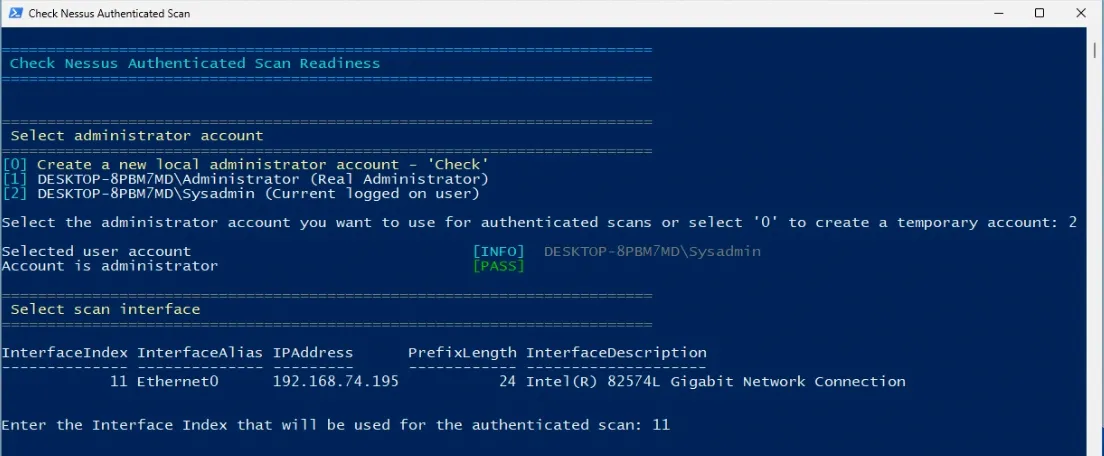
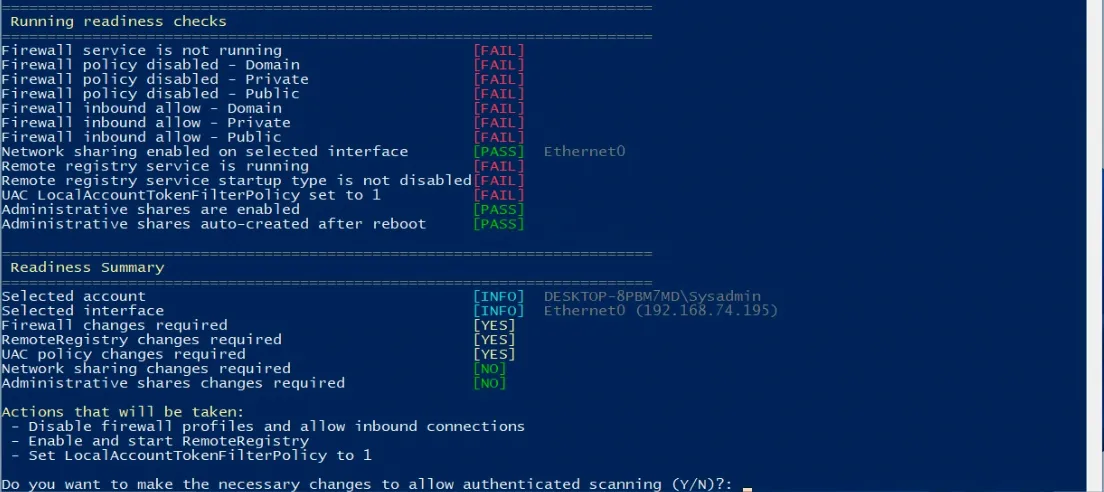
It offers a guided console interface, shows a readiness summary, logs all changes, and supports restore-only mode.
.NET GUI version
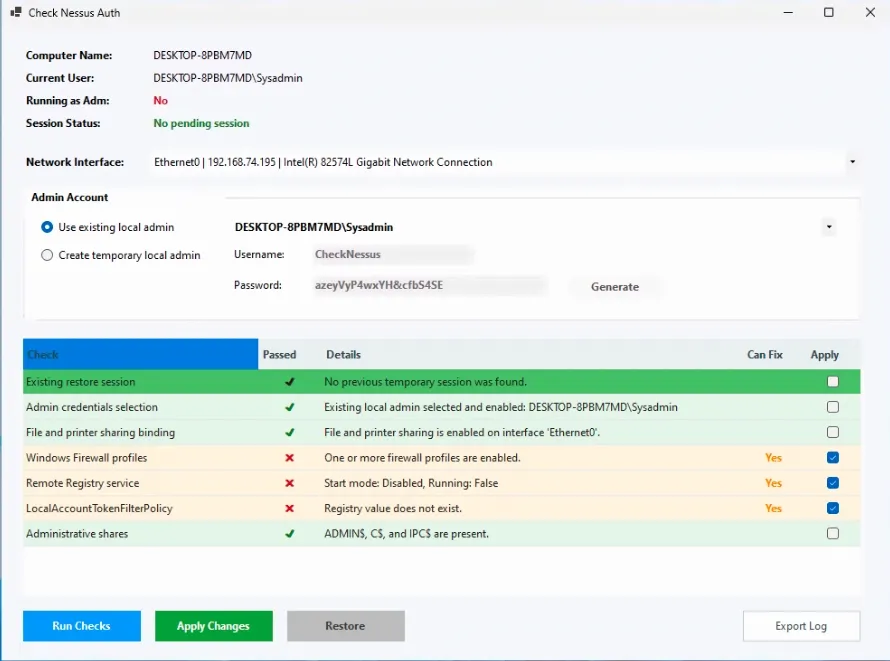
The .NET GUI version offers the same general purpose in a more user-friendly Windows interface.
It is intended for users who prefer a guided graphical workflow instead of a console-based script.
What the tool checks
- the local administrator account that will be used for authenticated scanning
- the network interface that will be used for the scan
- Windows Firewall profile state and inbound policy
- File and Printer Sharing binding on the selected interface
- RemoteRegistry service state and startup type
- the LocalAccountTokenFilterPolicy registry setting
- the presence of administrative shares such as ADMIN$, C$, and IPC$
- whether administrative shares are automatically recreated after reboot
What the tool may change temporarily
Depending on the current system state and the choices made by the operator, the tool may temporarily:
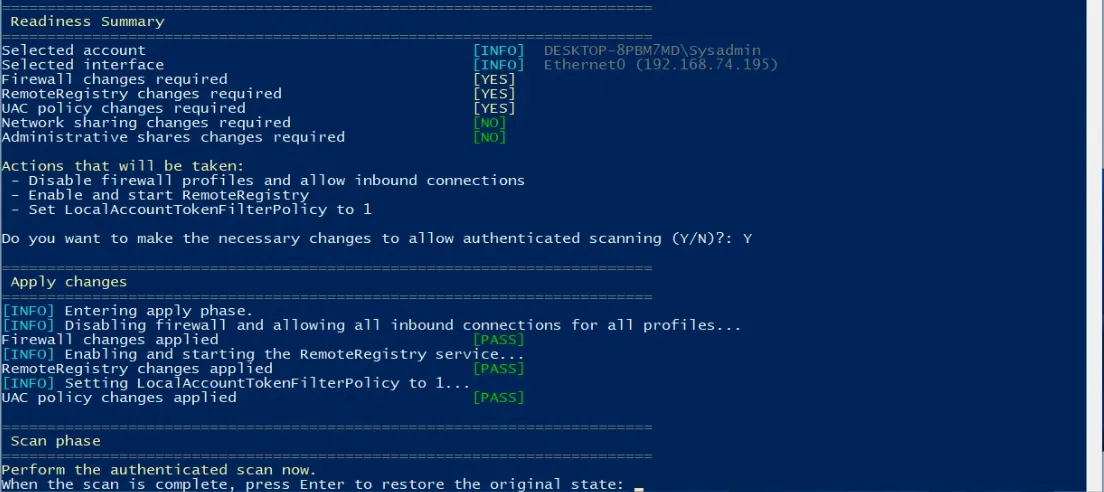
- disable Windows Firewall profiles and allow inbound connections
- enable and start the RemoteRegistry service
- set LocalAccountTokenFilterPolicy to 1
- enable File and Printer Sharing on the selected interface
- enable automatic administrative shares
- create a temporary local administrator account
- temporarily enable the built-in Administrator account, if explicitly selected by the operator
Restore behavior
When changes are actually applied, the original state is saved before the configuration is changed.
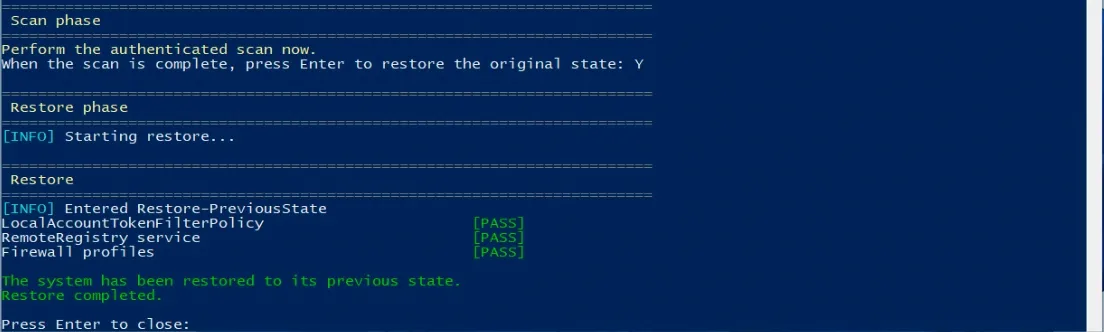
After the authenticated scan is completed, the tool restores the previous system state.
The PowerShell version also supports a restore-only mode, which can be used to retry restoration if needed.
Screenshots
PowerShell version
.NET GUI version
Downloads
PowerShell version
Source code and script download on GitHub: https://github.com/dietersar/CheckNessusAuthScan
.NET GUI version
Download the Windows GUI version here: CheckNessusAuth-win-x64
Notes
- Always test on non-production systems first.
- Review the selected account and network interface carefully before applying changes.
- This tool is intended to help prepare standalone Windows systems for authenticated Nessus scanning and is not a replacement for permanent hardening or baseline configuration.